Your lists, in view
Choose a list and see its reminders as cards. Use colors and contexts to find your way around.
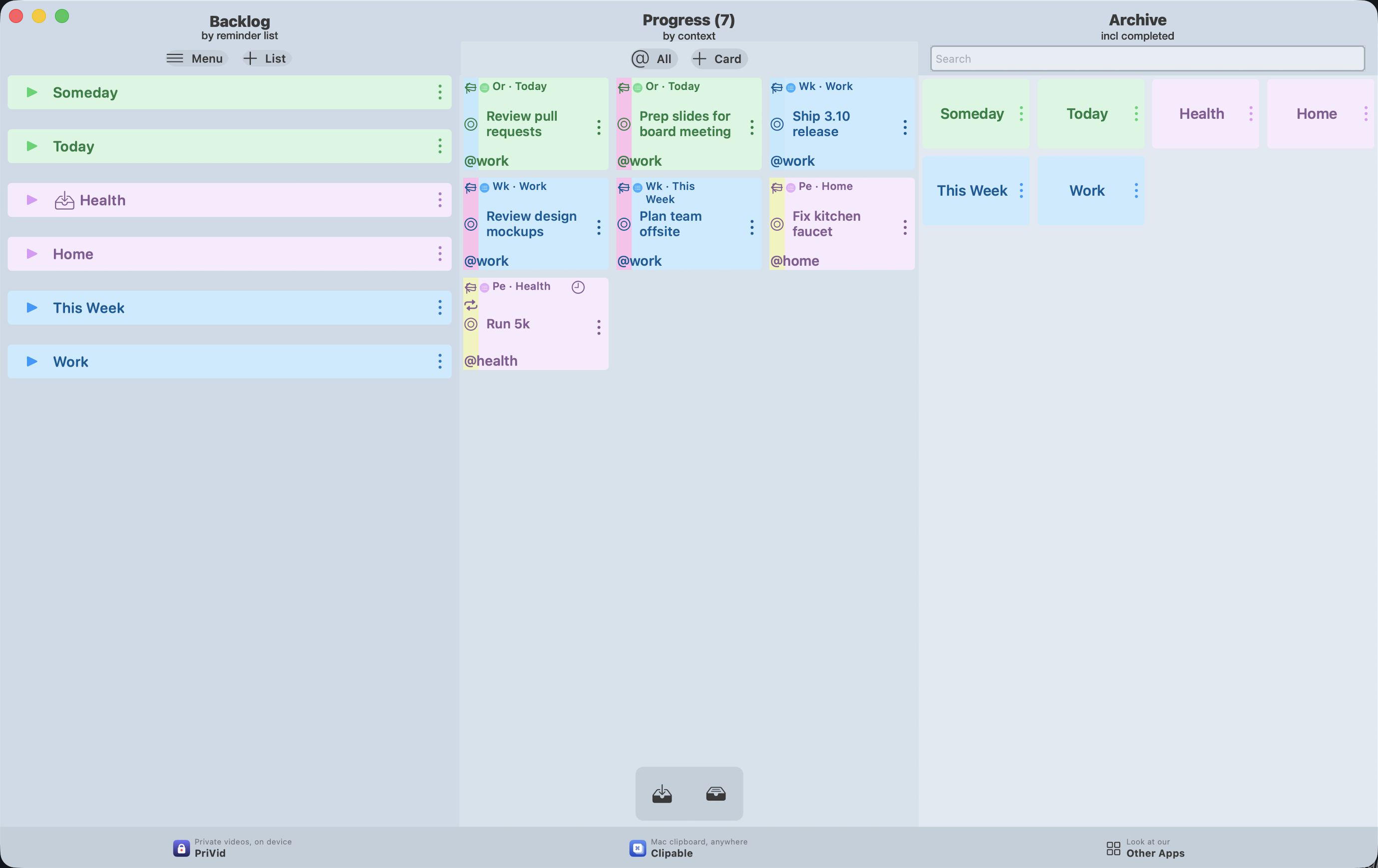
Classic is being prepared as a separate app. Its own App Store release is still pending. The download link will appear here once it is available.
The classic board on Mac, shown with sample tasks.
Your lists, in view
Choose a list and see its reminders as cards. Use colors and contexts to find your way around.
Pick it up. Move it forward.
Drag a card into progress, work on it and mark it done. The board makes the next step visible.
Built on Apple Reminders
Your tasks stay in Apple Reminders. Keep using Siri, shared lists and iCloud sync, without a separate iKanban account.
iKanban Classic
Choose Classic when a board, lists and cards are all you need. It carries forward the familiar approach of iKanban 3.17, with a focus on everyday tasks.
iKanban 4.0
Choose iKanban 4.0 when you also want to develop projects: a Project Compass, mindmaps, outlines, pinboards and journals. The new workspace is being prepared for release.
The same reminders. Classic and modern iKanban use Apple Reminders. Changes to a shared reminder are visible in both apps; their settings and additional workspaces are separate.